Linq Inspections
Mobile Inspection Management for Facility and Compliance Teams
Linq helps organizations schedule, complete, document, and track inspections across facilities, assets, departments, and locations.
Built for field teams and enterprise operations, Linq makes it easier to standardize inspection workflows, collect consistent data, verify onsite activity, identify issues, and turn inspection findings into
corrective action.
Whether your team is managing daily rounds, safety checks, equipment inspections, compliance workflows, or recurring facility audits, Linq gives you one connected system to manage the process from start to
finish.
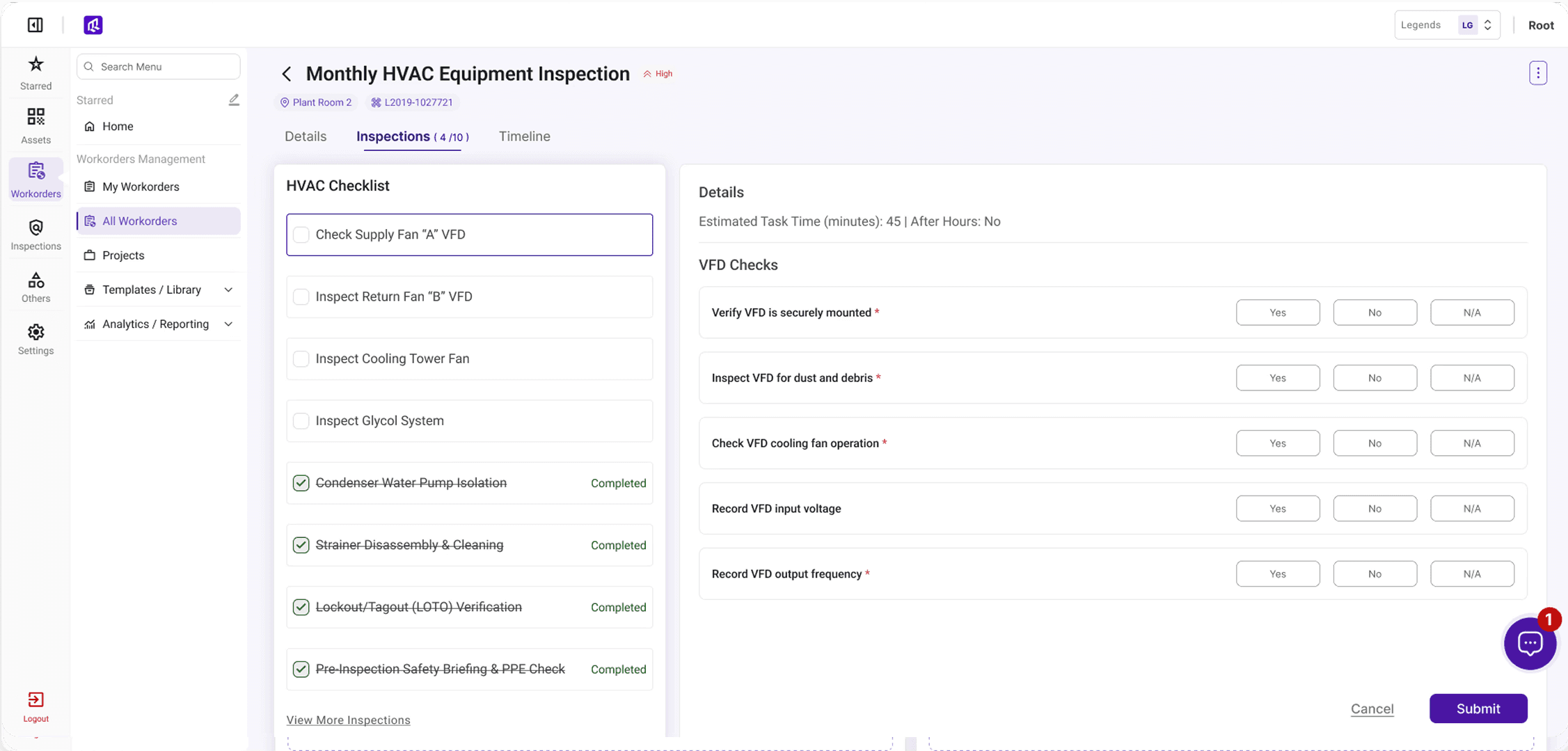
Standardized Inspections Across Every Site
Replace Paper Forms, Spreadsheets, and Disconnected Follow-Up
Facility teams juggle recurring inspections across assets, equipment, building systems, and compliance workflows, but paper forms, spreadsheets, and disconnected systems make it hard to know what was completed, what failed, and whether documentation is ready when needed. Linq brings inspection scheduling, field execution, issue tracking, corrective actions, and reporting into one connected platform. Teams can complete inspections from mobile, capture photos and notes, flag failures, and assign follow-up work — resulting in a more consistent process, stronger documentation, and better visibility across facilities.
Core Capabilities
Scheduled Inspections
Create recurring inspection schedules by asset, location, department, equipment type, or compliance requirement. Linq helps teams stay ahead of daily, weekly, monthly, quarterly, and annual inspection responsibilities.
Custom Checklists
Build inspection forms with required questions, dropdowns, pass/fail responses, numeric fields, photos, notes, signatures, and conditional logic. Each checklist can be tailored to the asset type, inspection type, or operational requirement.
Mobile Field Execution
Allow technicians, inspectors, and facility teams to complete inspections from the field using a mobile-friendly workflow. Teams can scan assets, answer checklist items, attach photos, document findings, and submit results while onsite.
Issue Identification
Flag failed inspection items, unsafe conditions, missing information, abnormal readings, or assets that require attention. Linq helps teams move from inspection discovery to action without losing the issue in an email or spreadsheet.
Corrective Actions and Work Orders
Convert inspection findings into corrective actions, follow-up tasks, or work orders. This helps teams track ownership, due dates, resolution status, and documentation after an issue is found.
Geo-Location Verification
Verify that field users are at the correct inspection location before submitting inspection data. This improves accountability and helps reduce inaccurate or incomplete field reporting.
Alerts and Notifications
Notify the right people when inspections are due, overdue, failed, or require follow-up. Linq helps teams respond faster and reduce the risk of missed inspection requirements.
Inspection History and Reporting
Maintain a searchable record of completed inspections, failed items, corrective actions, photos, notes, timestamps, and user activity. Teams can report by site, asset, department, inspection type, status, or date range.
How it works
How Linq Inspections Works
Create the Inspection
Build inspection templates based on the asset, location, compliance requirement, or operational workflow. Forms can include pass/fail questions, numeric readings, required photos, notes, and conditional questions.
Schedule the Work
Assign inspections to users, teams, locations, departments, or recurring schedules. Linq helps teams manage inspection frequency, due dates, and overdue work.
Complete in the Field
Field users complete inspections from a mobile device. They can scan an asset, verify location, answer checklist questions, attach photos, document findings, and submit the inspection onsite.
Flag Issues
Failed items, abnormal readings, or incomplete requirements can be flagged immediately. Linq keeps the inspection result connected to the asset, location, user, timestamp, and supporting documentation.
Assign Follow-Up
Inspection findings can be assigned as corrective actions or work orders, giving teams a clear path from issue discovery to resolution.
Report With Confidence
Managers can review inspection completion, failed items, trends, overdue work, and corrective action status across one site or an entire portfolio.